
Advanced generative AI
Drafts content, surfaces insights, and handles tasks from a prompt02
 AIToolize
Microsoft Copilot is Microsoft's AI assistant, powered by OpenAI GPT models. It combines chat, image generation, voice mode, and web search
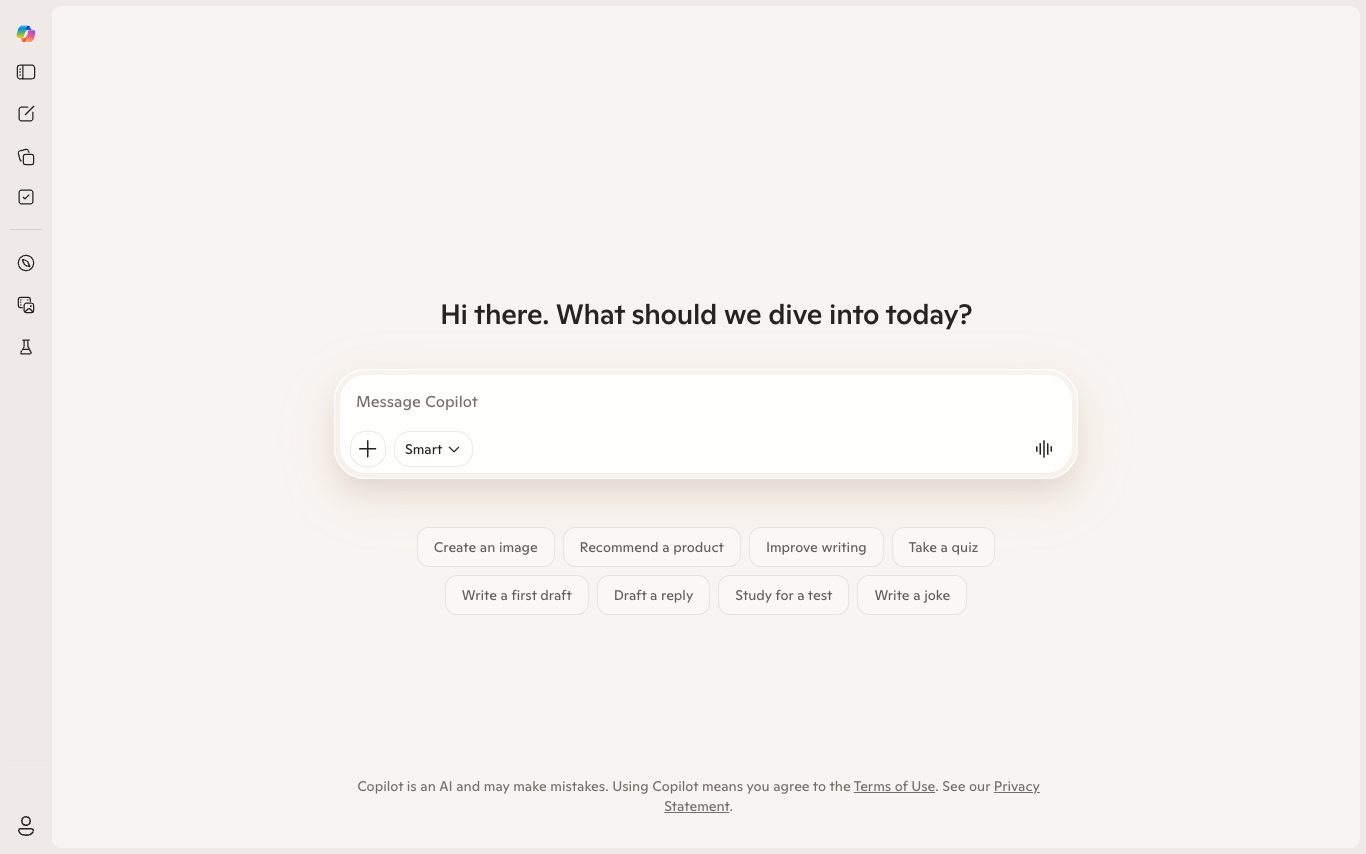
Microsoft Copilot is Microsoft's AI assistant, powered by OpenAI GPT models and Microsoft's own orchestration. It combines chat, web search, image generation, voice mode, and personalized Copilot Pages, with integrations across Bing, Edge, Windows, and Microsoft 365. Copilot Pro adds priority access to GPT-4 class models and Copilot features inside Word, Excel, PowerPoint, and Outlook.What can Microsoft Copilot do?01Advanced generative AIDrafts content, surfaces insights, and handles tasks from a prompt02Integrated across Microsoft appsEmbeds AI assistance directly across Microsoft 365 apps and roles03Enterprise-grade securityBuilt on a comprehensive security and privacy approach04Copilots for Word, Excel, PowerPoint, TeamsWrites in Word, analyses in Excel, builds decks in PowerPoint, summarises in Teams05GitHub Copilot for codeHelps developers write and review code06Security CopilotSupports security operations with AI assistanceUse Cases“Organizations — Roll out AI assistance with enterprise-grade security across the company“Knowledge workers — Draft documents, analyse data, and summarise meetings inside Microsoft 365“Developers — Write and review code with GitHub Copilot“Security teams — Accelerate security operations with Security Copilot“Individual consumers — Use free personal Copilot on the web or mobile appQuick facts about Microsoft CopilotPricingFree$0/moCopilot Pro$20/moas of Apr 18, 2026 — may be outdatedView official pricing Domain RatingDR 96Domain Rating by AhrefsLicensePlatformsWeb·iOS·Android·Windows·macOSFrequently Asked Questions1.What are Copilots?2.What is the difference between the Copilots Microsoft offers?3.Are Copilots free?4.How does Microsoft protect privacy and confidentiality?5.How do I install and use Copilots?6.How can I use Copilot in Word
Alternatives to Microsoft CopilotLooking for a Microsoft Copilot alternative? Compare these curated AI tools that offer similar features and use cases.DoubaoDoubao is ByteDance's consumer AI assistant, powered by the Doubao model family. It offers chat, voice conversation, image generation, AI character roleplay, and integrations with ByteDance apps like Feishu and TikTok.QwenQwen is Alibaba Cloud's open and commercial LLM family and its chat interface. It covers general chat, long context, coding, math, and multimodal inputs, with both open-weight and API access.KimiKimi is the AI assistant from Moonshot AI. It supports very long context (up to 2M tokens), web search, file and URL analysis, and is widely used in Chinese markets for research, writing, and coding tasks.
Drafts content, surfaces insights, and handles tasks from a prompt02
Embeds AI assistance directly across Microsoft 365 apps and roles03
Built on a comprehensive security and privacy approach04
Writes in Word, analyses in Excel, builds decks in PowerPoint, summarises in Teams05
Helps developers write and review code06
Supports security operations with AI assistanceUse Cases“Organizations — Roll out AI assistance with enterprise-grade security across the company“Knowledge workers — Draft documents, analyse data, and summarise meetings inside Microsoft 365“Developers — Write and review code with GitHub Copilot“Security teams — Accelerate security operations with